
Comparison · Updated July 2026
Apps that remember where you put things
You knew it was somewhere sensible. That was the problem — you put it somewhere sensible, in March. These five apps exist to remember that for you, which is a genuinely different job to cataloguing what you own. Prices below are ones we checked ourselves, and one of the five isn’t an app at all.
Free • No item cap • No ads
Last reviewed 17 July 2026
The short version
- For a whole house, free: iFoundIt. No item cap and no ads, so nothing stops you halfway. We made it, so weigh that accordingly.
- On Android, or nesting deep: StuffKeeper. Five levels of location, and a real Play listing, which we don’t have yet.
- Best reviewed: Itemlist. 4.7 stars from nearly 200 people, if you’re on an iPhone.
- Nothing leaves your phone: HippoCam. Collects no data at all, which is a stronger promise than ours.
This is not the same thing as a home inventory
The apps look identical in the store. They’re built for opposite jobs.
Search “home inventory app” and you’ll get dozens of results. Nearly all of them are documentation tools. They exist to answer what do I own? — usually for an insurer, usually once, and a surprising number will happily let you record that you own a drill without ever asking where the drill is.
That’s a fine product. It’s just not this one. The question here is where did I put it?, and the difference shows up in three places.
The location is the point, not a field. In a documentation app, “where” is optional metadata next to purchase price and serial number. In a retrieval app it’s the entire product. If the location isn’t front and centre while you’re adding something, you’re using the wrong kind of app.
You come back constantly. Documenting for insurance is a job you do once and hope to never open again. Finding things is forever. That changes what you can tolerate: an item cap or a banner ad is survivable on a one-off task and grinding on a weekly one.
Speed beats completeness. An insurance inventory is worth more the more thorough it is. A retrieval app is worth more the faster it is, because a slow one gets abandoned in week two and then knows the location of nine things. Half a house you can search beats a whole house you never finished.
If your reason for doing this is a claim rather than a Tuesday, you want the other page: home inventory for insurance covers what an adjuster actually wants, and our Sortly comparison covers the documentation tools properly.

The best apps for remembering where you put things
Five, not fifteen. Every one below has a listing you can find, a price we could print, and enough ratings to be worth judging — the same bar we hold our Sortly page and our AI page to.
The short list is the honest outcome. This niche is small: plenty of apps say “find your stuff” in the store and turn out to be inventory tools with a location field, or week-old projects with no reviews. We named the ones we dropped so you can check our working.
iFoundIt
Our pickBest for: A whole house, free, with no ads
- Free tier:
- Free, no item cap
- Paid from:
- No paid tier
- Platforms:
- iOS, Android
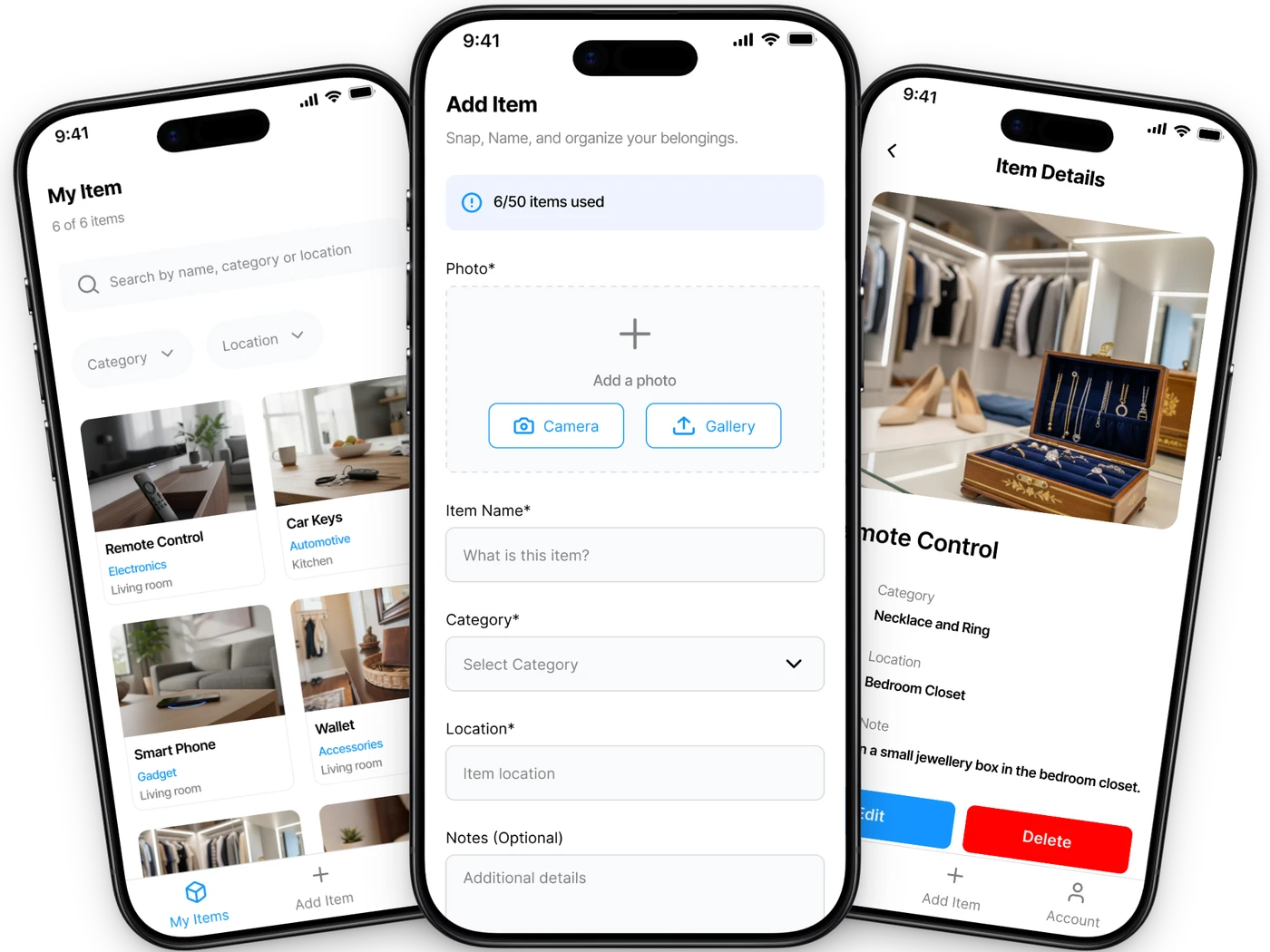
We built iFoundIt for exactly this, so treat us as biased and read the other four anyway. It does one job: remember where you put something so you can find it later without opening four boxes.
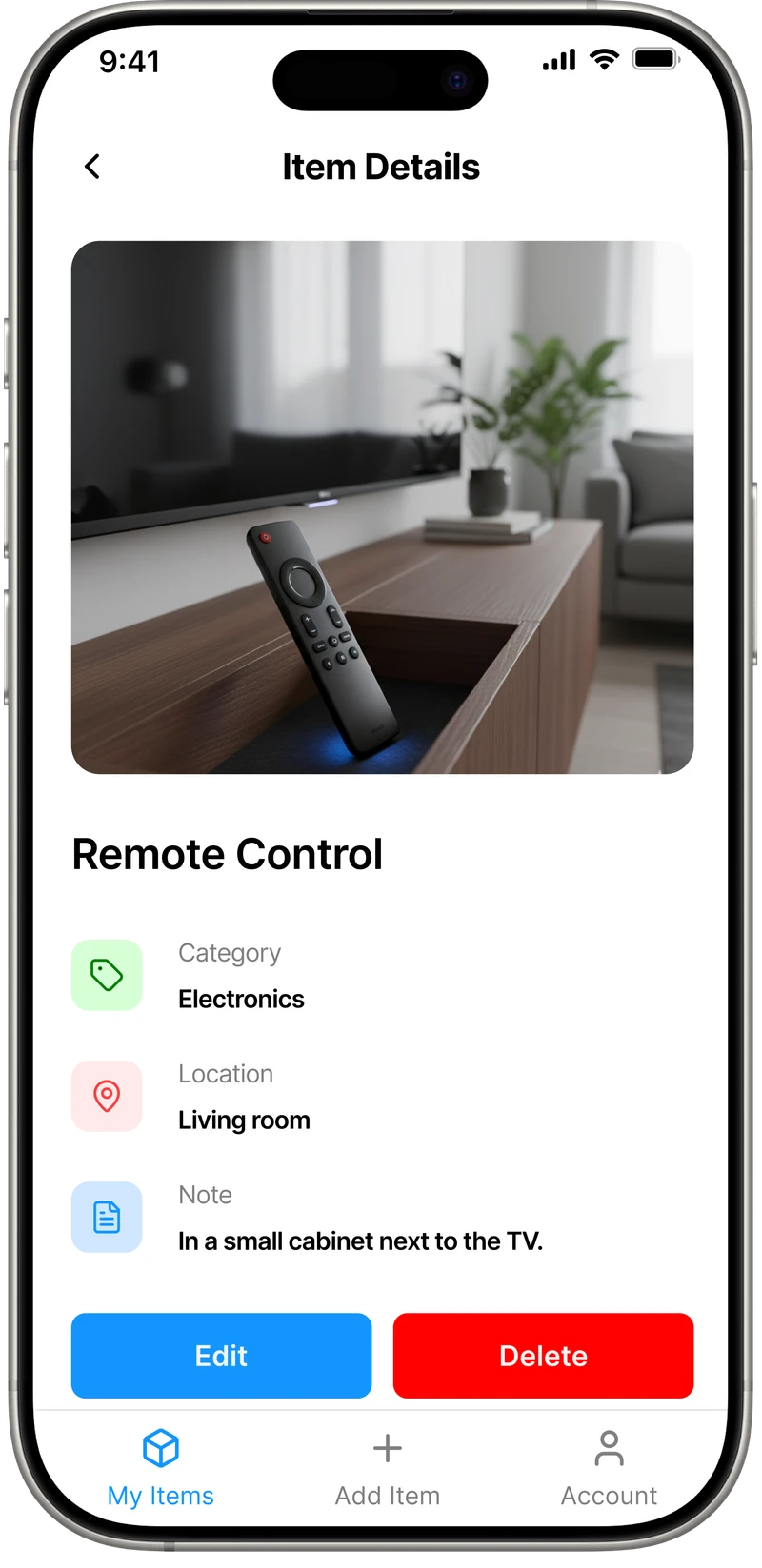
Photograph the thing, name it, say where it lives (“loft, blue crate”, “kitchen drawer two”). About ten seconds. Later you search “passport” and it tells you where the passport is. No item ceiling, no ads, no account needed to open it, and it works on a plane. The full list is on the features page.
Where we lose, and it’s worth knowing before you pick us: we’re not on Google Play yet, so on Android you’re side-loading an APK downloaded from our site, and StuffKeeper and Itemlist will both feel more normal to install. We don’t do barcode scanning, we don’t print labels, and there’s no household sharing, so it’s one person per inventory.
- Free with no item cap and no ads
- Ten seconds an item, which is why people finish
- Works offline, with Face ID or fingerprint lock
- Built for retrieval rather than documentation
- Android is an APK side-load, not a Play listing
- One person per inventory, no sharing
- No barcode scanning or label printing
Pick it if you want to do the whole house without hitting a cap or watching an ad.
StuffKeeper
Best for: Deep location nesting, and Android
- Free tier:
- 50 items, with ads
- Paid from:
- $14.99 one-time
- Platforms:
- Android, iOS
StuffKeeper is the closest thing to us on this list, and the one we’d point you at if we didn’t exist. Same idea, same job: catalogue where things live so you can find them later.
Its structure goes deeper than ours. Five levels — property, then room or zone, then furniture, then the box or container, then the item. If your storage genuinely nests that far (garage, shelving unit, third crate, small parts box), StuffKeeper will hold all of it and we’ll flatten it. It’s also refreshingly direct about who it’s for, naming memory challenges, information overload and ADHD on its own homepage. Very few apps in this category say out loud who’s actually opening them at 11pm looking for a passport.
Two honest notes. It’s really an Android app: around 660 ratings and 82,000 downloads on Play, against 8 ratings on the App Store, so the iOS version is a much quieter product. And its Play rating sits near 3.6, which is middling — the free tier stops at 50 items and shows ads, and that combination lands badly with people who’ve just started cataloguing. Premium is a one-time $14.99, which we think is the fair way to sell software.
- Five levels of nesting, property down to container
- A real Google Play presence, unlike ours
- One-time purchase rather than a subscription
- Says plainly that it’s built for memory and ADHD
- Free tier is 50 items, and it shows ads
- Play rating hovers around 3.6
- The iOS version is barely reviewed
Pick it if you’re on Android, or your storage nests deeper than rooms and boxes.
Itemlist
Best for: The best-reviewed of the bunch
- Free tier:
- 100 items, 20 containers
- Paid from:
- $19.99/yr, or $29.99 lifetime
- Platforms:
- iOS, iPad, Mac
Itemlist is the best-rated app on this page by a wide margin — 4.7 stars across 196 ratings, which in this small category counts as a landslide. It earns it. The rooms-and-containers model is clean, barcode scanning is built in, and it runs in 22 languages.
It also does two things we don’t: you can share a location with someone else, and you can mark an item as borrowed, which is a genuinely good idea for anyone who lends out tools and then wonders where the drill went.
The trade-offs are the free cap and the platform. 100 items and 20 containers is more generous than StuffKeeper’s 50, but a house passes it, and after that it’s $19.99 a year or $29.99 once. It’s Apple-only, so if you’re on Android this one isn’t for you.
- 4.7 stars from nearly 200 ratings
- Location sharing and a borrowed-items feature
- Lifetime purchase available, not just a subscription
- Barcode scanning and CSV export included
- No Android version at all
- Free tier caps at 100 items and 20 containers
Pick it if you’re on an iPhone and you want the one with the best reviews.
HippoCam
Best for: The small stuff, and total privacy
- Free tier:
- Free
- Paid from:
- $2.99
- Platforms:
- iPhone
HippoCam isn’t really a home inventory app and doesn’t pretend to be. It’s a memory tool for the small things: where you parked, which drawer the spare charger went in, what the boiler pressure was before you fiddled with it. Snap it, label it, move on.
Its privacy story is the strongest here and we’ll say so even though it beats ours. The developer declares that the app collects no data at all — no tracking, no ads, nothing leaves the phone. We do cloud backup, which means we hold your data even though we don’t sell it. If “nothing leaves this device, ever” is your bar, HippoCam clears it and we don’t.
It reads text out of your photos, tags locations, and hooks into Siri and Spotlight, so you can ask where something is without opening it. The limits are real though: iPhone only, iOS 18 or later, and 11 ratings, so it’s early. It also has no structure — no rooms, no hierarchy — which is fine for fifty things and useless for four hundred.
- Collects no data whatsoever, by the developer’s own declaration
- Siri and Spotlight integration
- Reads text out of photos automatically
- A few dollars, once
- iPhone only, and iOS 18 or later
- Only 11 ratings so far
- No rooms or hierarchy, so it doesn’t scale to a house
Pick it if you lose small things constantly and want nothing to leave your phone.
A note on your phone
Best for: Starting in the next thirty seconds
- Free tier:
- Free
- Paid from:
- Free
- Platforms:
- Anything
A page like this that won’t admit the obvious isn’t worth reading. Open Notes, or Keep, and type “Christmas decorations — loft, blue crate”. That’s the whole mechanism. Everything on this page is a nicer wrapper around that one line, and your notes app searches, syncs and costs nothing.
For a dozen awkward things you put somewhere clever and will forget by March, this genuinely works. Do it today rather than installing something and doing it never.
It breaks down on photos and on structure. You won’t attach a picture to every line, so you’ll end up describing things in words and then arguing with your own description. There are no rooms, so at a hundred items you’re reading a wall of text instead of searching a list. And it takes discipline nobody has — the habit is the hard part, not the tool.
- Free, installed, and already syncing
- You can start before you finish this sentence
- No photos in practice, which is most of the point
- No rooms or structure to search
- Falls apart past a few dozen things
Pick it if you have a dozen things to remember and no interest in another app.
What didn’t make the list
All three turn up when you search for this. None of them could clear a findable listing, a published price, and more than single-digit ratings.
Wherezit
It comes up in searches for this exact phrase, and it’s pitched at seniors, which is an audience this category serves badly and should serve well. But it’s a web prototype behind a sign-in wall, with no App Store or Play listing and no published price. There may be a good product here later. There isn’t one to review today.
Find My Stuff
Decent feature list — barcode scanning, expiry dates, email export — and the unlock is a one-time $5.99, which we like. Its App Store page says it hasn’t received enough ratings to display an overview, so there’s nothing to judge it on yet. Worth watching.
Find My Things
An Android app in this exact niche, assigning physical locations to belongings. We couldn’t pull its pricing or rating from a source we trusted enough to print, so we’ve left it out rather than guess at numbers.
If one of these has shipped properly since we looked, tell us and we’ll re-review it. We’d rather be corrected than stale.
All five, side by side
Free tiers are where these differ most, and where three of the five stop.
| App | Free tier | Paid from | Platforms | Best for |
|---|---|---|---|---|
| iFoundIt | Everything, no cap | No paid tier | iOS, Android | A whole house, free |
| StuffKeeper | 50 items, with ads | $14.99 once | Android, iOS | Deep nesting, and Android |
| Itemlist | 100 items, 20 containers | $19.99/yr | iOS, iPad, Mac | The best reviews |
| HippoCam | Free | $2.99 | iPhone | Small things, total privacy |
| A note on your phone | Free | Free | Anything | A dozen things, today |
iFoundIt vs StuffKeeper, in detail
The closest comparison on the page, so it’s the one where we owe you the most honesty about where we lose.
| Feature | iFoundIt | StuffKeeper |
|---|---|---|
| Free plan item limit | No cap | 50 items |
| Ads on the free plan | ||
| Cheapest paid tier | No paid tier | $14.99 once |
| Location depth | Rooms, boxes, shelves | Five levels |
| Photo-first quick capture | ||
| Search by name & location | ||
| Cloud backup | Premium only | |
| Works offline | Not stated | |
| Face ID / fingerprint lock | Not stated | |
| On the App Store | ||
| On Google Play | ||
| Barcode scanning |
Where StuffKeeper genuinely wins
It’s on Google Play and we’re not, which for an Android user is not a small detail — it’s the difference between tapping install and side-loading an APK from a Drive link. It nests locations five levels deep against our three. And it has years of users behind it, where we’re new.
Where iFoundIt wins
No cap and no ads. StuffKeeper’s free tier stops at 50 items and shows advertising until you pay, and 50 items is one cupboard. We also lock behind Face ID and back up to the cloud without asking you to buy premium first.
Where we can’t tell you
Some rows above say “not stated”, and that’s deliberate. StuffKeeper doesn’t publish whether it works fully offline or whether it can lock behind a fingerprint, and we’re not going to invent an answer to make our own column look better. If you need either, test it before you commit a weekend to typing.
Comparison based on publicly available information as of July 2026 and subject to change. StuffKeeper, Itemlist, HippoCam, Wherezit, Find My Stuff and Find My Things are trademarks of their respective owners; iFoundIt is not affiliated with, endorsed by, or sponsored by any of them. Ratings and download counts are as published by the App Store and Google Play at the time of review. If we’ve got something wrong, tell us and we’ll correct it.
How to pick one that survives the month
Five tests, none of which appear on a feature list.
Check it stores a location, not just an item
This sounds obvious and it’s the thing most “home inventory” apps quietly get wrong. Plenty will happily record that you own a drill and never ask where it is. If the location field isn’t front and centre during capture, the app is built for insurance, not for finding.
Time one item, honestly
Add a single thing and count the seconds. Ten is fine. Forty means you will do nine items and quit, and an inventory you abandoned is worth exactly nothing. This one test predicts more than any feature list on any of these pages.
Search for something you didn’t name precisely
You’ll type “passport” and you’ll have saved it as “documents”. Before you commit a weekend, put in five things, wait a day, then search the way you’d actually search. Some of these fall apart right there.
Assume you’ll be back next week
Documenting for insurance is a one-off. Finding things is forever, which means ads, caps and friction compound in a way they don’t on a job you do once. A 50-item free tier isn’t a plan for a house, it’s a demo.
Decide if you actually need labels
If you’re about to number 60 storage bins, that’s a different job and a different tool — our Sortly page covers the label-printing end. Nothing on this page prints QR codes, ours included.

The tool matters less than the habit. Add things as you put them away, especially the ones you’re putting somewhere clever — those are the ones you’ll lose. We wrote up what actually works for keeping track if you want the version that isn’t about apps at all.
Put your storage system into practice
Start with three containers and follow our guide to keeping track of storage bins. It includes a worked example and a free inventory spreadsheet template.
Questions, answered
What is the best app to remember where you put things?
For a whole house, we’d point you at iFoundIt, and we’re obviously biased. It’s free with no item cap and no ads, so nothing stops you halfway. StuffKeeper is the closest alternative and nests locations deeper than we do, which matters if your storage goes property to room to furniture to box. Itemlist has the best reviews of anything in this category but is Apple-only. HippoCam is the pick if you mostly lose small things and want nothing to leave your phone.
Is there a free app to remember where you put things?
Yes, several, but read the caps before you start. Most free tiers in this category stop somewhere between a few dozen and a hundred items, and at least one shows ads until you pay. iFoundIt is free with no item ceiling. A notes app is also genuinely free and works fine for a dozen things, it just has no photos and no structure once your list grows.
How is this different from a home inventory app?
Most home inventory apps are documentation tools. They answer "what do I own?", usually for an insurer, and many will let you record an item without ever asking where it is. Remembering where you put things is retrieval: the location is the whole point, and you come back to it constantly rather than once. Apps built for one job are often poor at the other, which is why they are worth separating.
Can an app help if I have ADHD or memory difficulties?
A lot of people use these apps for exactly that, and StuffKeeper names memory challenges, information overload and ADHD directly on its own homepage. The practical advice is to judge these apps on capture speed rather than features: if adding one item takes more than about ten seconds, the app will not survive contact with a real week, whoever you are. Fast capture and forgiving search matter more than anything else on the box.
Do these apps use tags or Bluetooth trackers?
No, and this is a common mix-up worth clearing up. Bluetooth trackers like tile-style tags are hardware you attach to a small number of valuable, movable things such as keys or a wallet, and they beep. The apps on this page are memory tools: you tell them where you put something and they remember it for you. They cost nothing per item, so they scale to a whole house, but nothing beeps.
Will I actually keep using one of these?
Most people do not, and that is the honest answer. The apps that survive are the ones where adding something is fast enough to do without thinking about it. Do not try to catalogue your house in a weekend. Add things as you put them away, especially the ones you are putting somewhere clever, because those are the ones you will lose.
Do I need to photograph everything?
No, and trying to is how people quit. The photo is there so you recognise the thing later without reading a description you wrote nine months ago, which is genuinely useful for boxes of similar-looking stuff. For obvious items, a name and a location is plenty. Photograph the things you would struggle to describe to yourself.
More questions about the app itself? We’ve answered those here →
More ways to use iFoundIt
Stop putting things somewhere sensible
Photograph it, name it, say where it lives. Ten seconds, and you never hunt for it again. Free, on iOS and Android.
Free • No account needed to browse • Works offline