
Never lose track of where you put anything.
iFoundIt is a home inventory app that actually sticks. Snap a photo, jot where it lives, and find it later in a single search. No spreadsheets, no clutter.
Free to download. No account needed to look around.
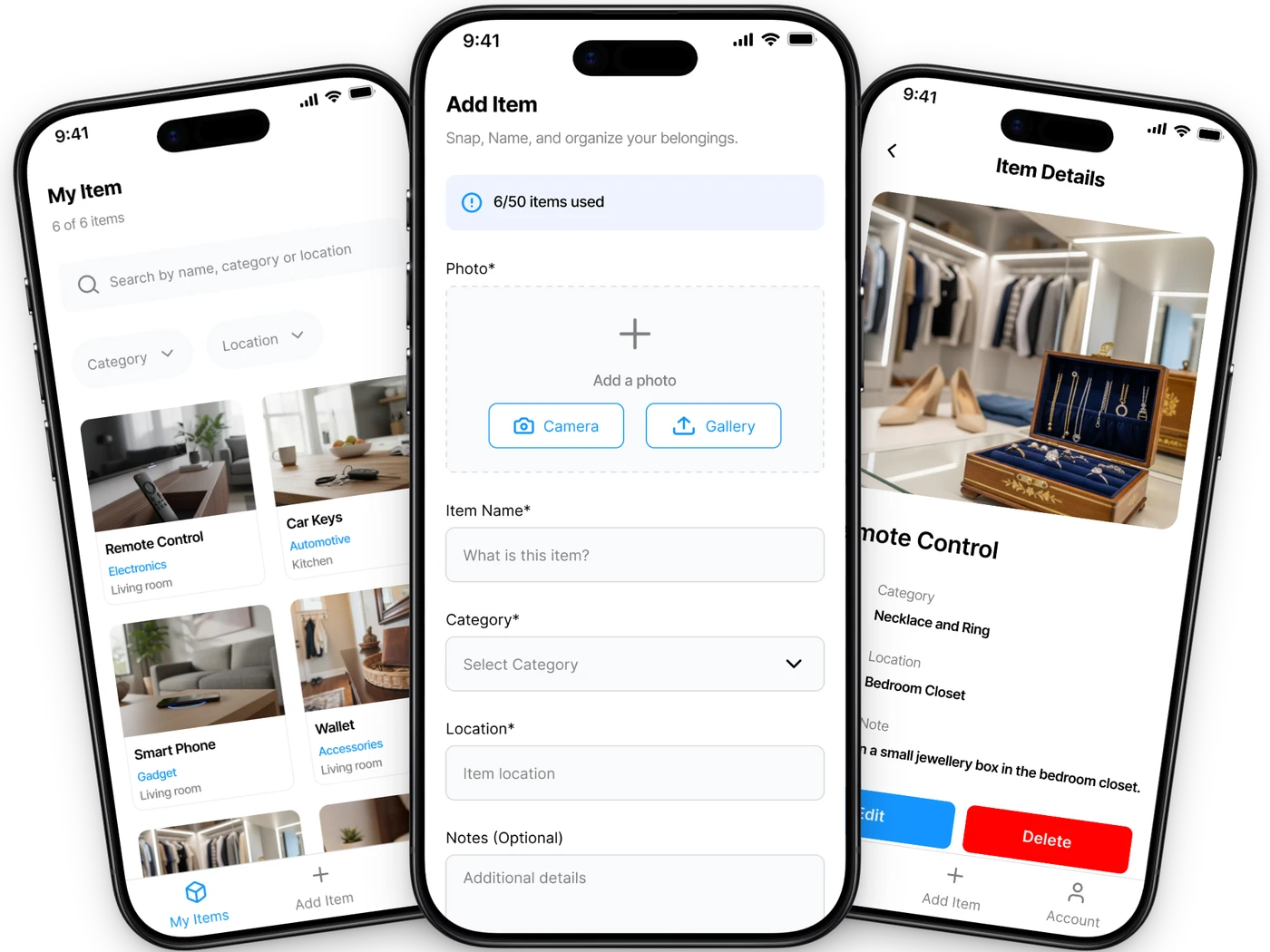
Made to be used, not abandoned
Most inventory apps die after a weekend. iFoundIt stays quick enough that you actually keep it up.
Snap & save
Add anything with a quick photo. No barcodes, no typing out a spreadsheet.
Find it fast
Search a name or a room and jump straight to the thing you’re after.
Rooms, boxes, shelves
Organize things the way your home is actually laid out, not some rigid system.
Backed up
Everything syncs and backs up quietly, so you won’t lose your list.
Works offline
Add and search in the basement with no signal. It catches up when you’re back.
Yours, and private
Face ID lock, and we never sell your data. That’s the whole deal.
“Where did I put the winter jacket?”
Search “winter jacket” and you get one answer: bedroom closet, Box 3, with the photo you took when you put it there. Not “somewhere upstairs”. The exact box, months later.
- Search by name, category, or location
- See the photo and the exact spot you stored it
- No more turning the house upside down
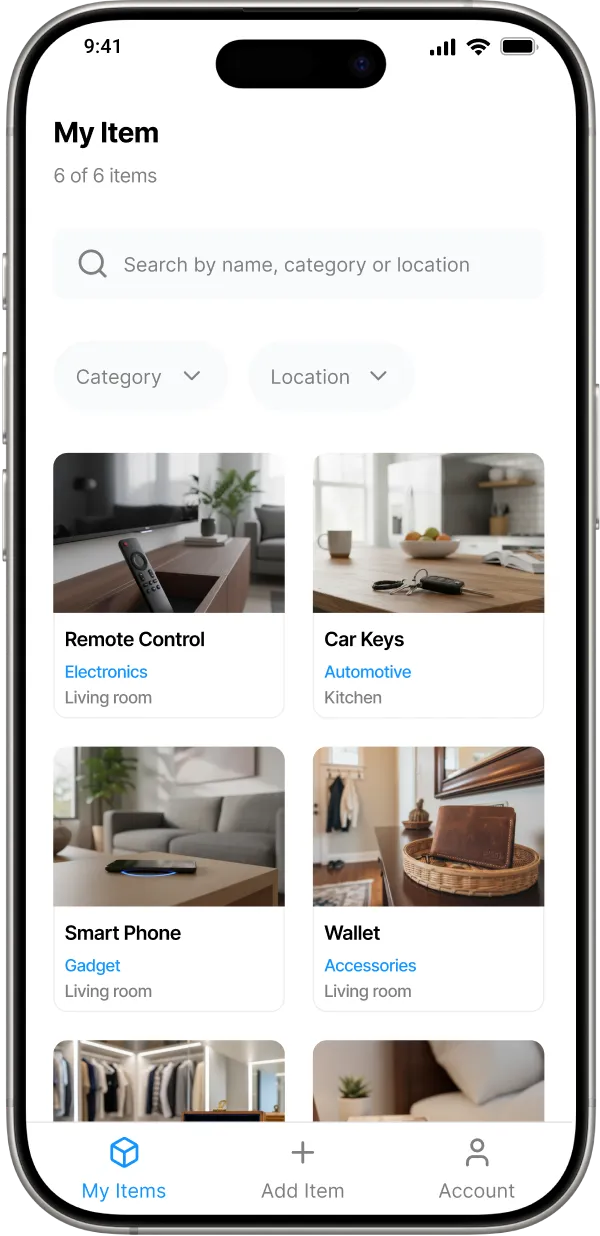
Three steps, then you never think about it
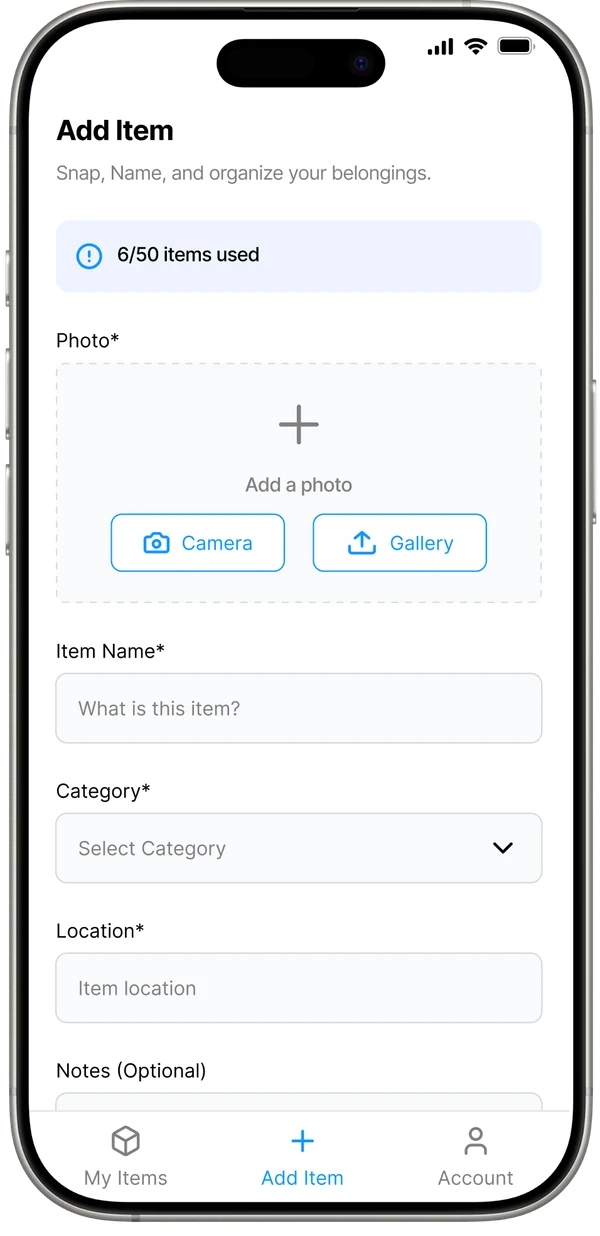
Snap it
Take a photo of your thing, straight from the camera or your gallery.
Tag it
Give it a name and say where it lives: “garage, shelf B”.
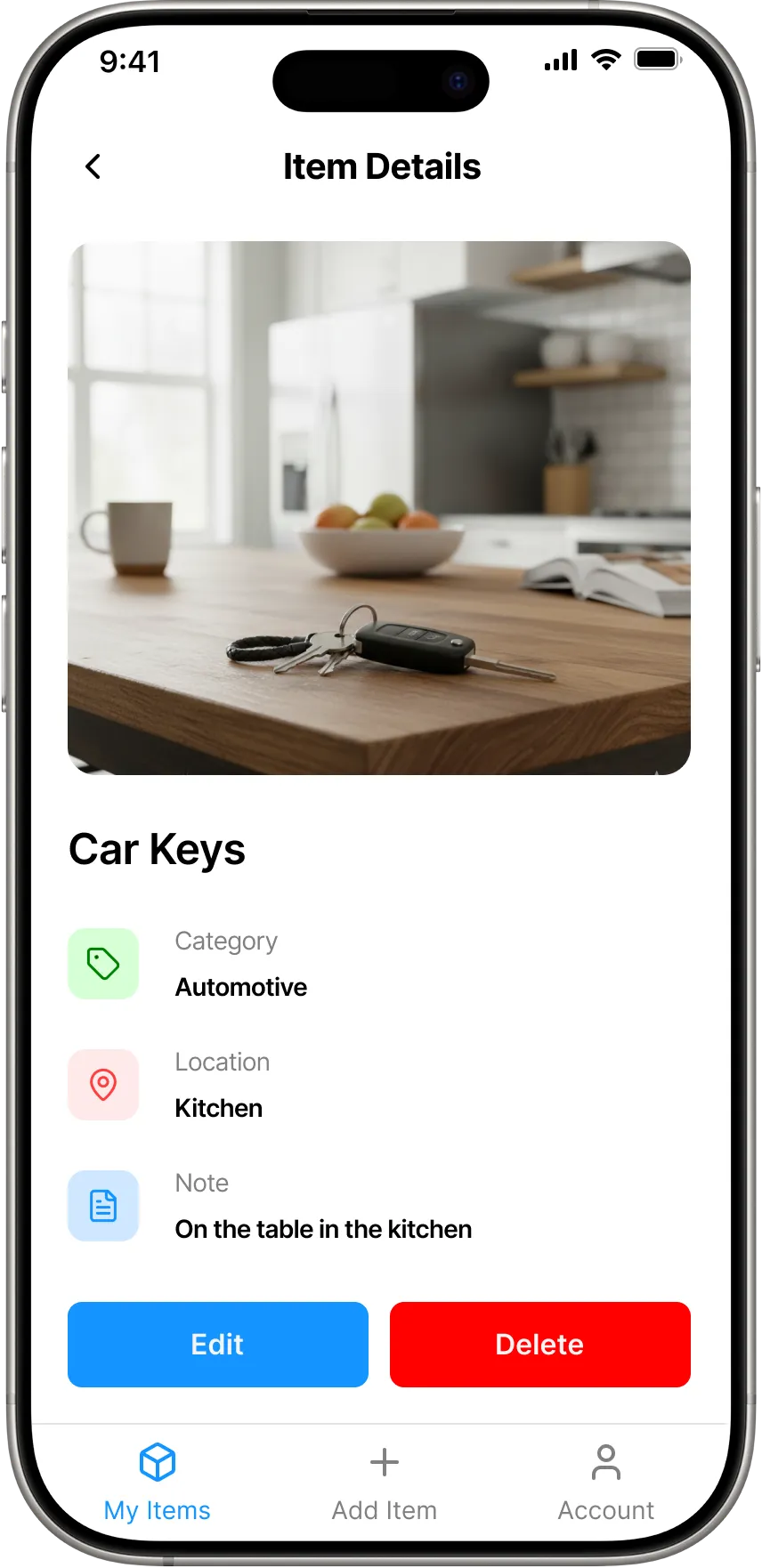
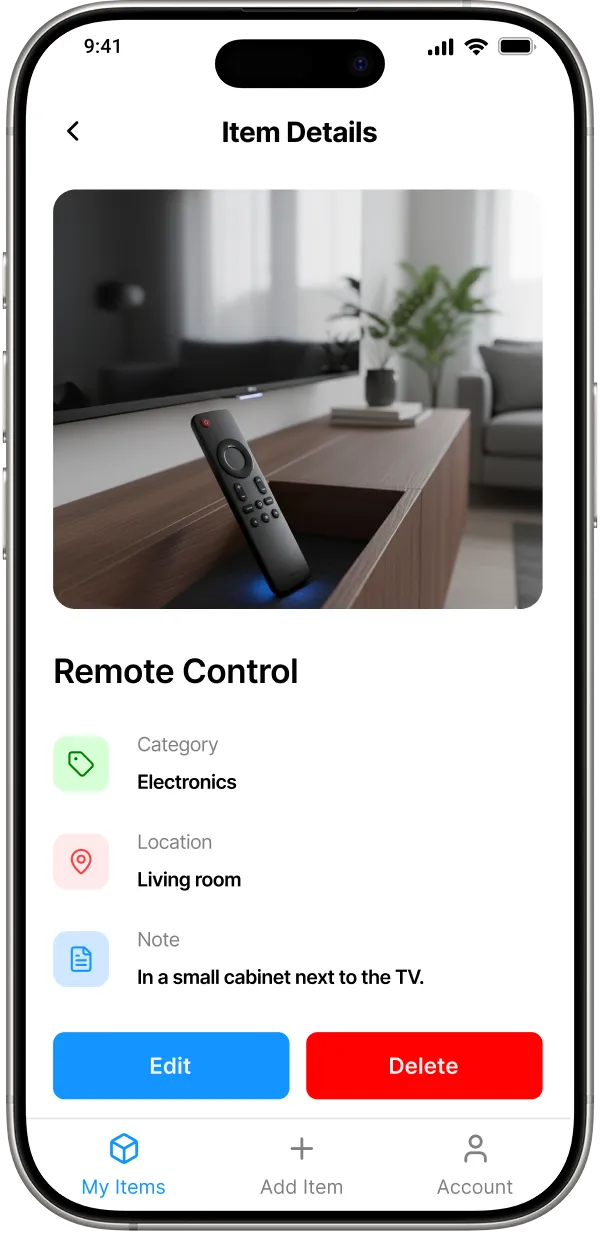
Find it
Weeks later, search the name and iFoundIt tells you exactly where it is.
People use it for all sorts of things
Getting organized
Declutter and give everything a place, with a system you’ll actually keep up.
Moving house
Know what’s in every box and unpack room by room without the chaos.
Renting
Document your stuff for renters insurance and protect your deposit.
Insurance
Photograph and value your belongings, then export a PDF before you need it.
What early users tell us
“Finally found my passport in minutes! I used to spend hours looking for it. This app is a lifesaver.”

“So simple and satisfying to use. It’s like my home finally has a searchable memory.”

“My husband and I share one account. No more duplicate buys or lost tools!”

Guides for staying on top of your stuff
All articles
October 1, 2026 · 5 min read
Is Sortly Free? What the 100-Item Limit Means for Home Inventory
A practical way to decide whether the free plan fits your belongings, without confusing item records with physical objects.

October 1, 2026 · 6 min read
How to Create a Searchable Home Inventory From Photos
Photos are the starting point. Add names, locations and checked details to turn them into an inventory you can actually search.
October 1, 2026 · 6 min read
How to Keep Track of What’s in Storage Bins Without Opening Every Box
Number each bin, photograph its contents, and keep a searchable list. A practical system for the boxes that stay in your home.
Questions people ask before choosing a home inventory app
Is iFoundIt free?
Yes. iFoundIt is free to download on iPhone and Android, with no credit card required. You can add items with photos, organize them by location, and search your whole home at no cost.
What is a home inventory app?
A home inventory app is a simple way to keep a photo-based record of the things you own and where you keep them. Instead of a spreadsheet, you snap a picture, tag a location, and search it later. It works well for finding stored items, moving, decluttering, or insurance.
How does iFoundIt help me find where I put things?
When you add an item you tag where it lives: “garage shelf B”, “bedroom closet”, “storage box 3”. Later, just search the item’s name and iFoundIt shows you the photo and the exact location, even months after you stored it.
Does iFoundIt work offline?
Yes. You can add and search items with no internet connection. Your changes sync automatically to the cloud and your other devices once you’re back online.
Is my data private and secure?
Your inventory is yours. iFoundIt supports Face ID / fingerprint lock, backs your data up securely, and never sells your personal information. See our Privacy Policy for details.
Can I use iFoundIt for moving or insurance?
Absolutely. Photograph your belongings, organize them by room or box, and export a clean PDF of your inventory. That comes in handy for packing, relocation, and documenting possessions for a home insurance claim.
Is iFoundIt on Google Play?
The iPhone/iPad app is live on the App Store. On Android, iFoundIt is available today as a direct APK download while we finish the Google Play listing. It’s the same app, and installing takes about a minute.
How is iFoundIt different from a notes app or spreadsheet?
iFoundIt is photo-first and built for finding things fast. A picture is instantly recognizable, smart search works by name, category, or location, and it all works offline. No fiddly columns or manual formatting.
Find everything you own
Download iFoundIt and stop losing track of your stuff. It’s free, and it takes a minute to start.
Free • No account needed to browse • Works offline